Kicking off test runs triggered by deployment

In the fast-paced world of software development, ensuring the quality of your product is paramount. Testery comes in, revolutionizing the testing process by allowing users to kick off test runs triggered by deployment. With Testery, developers can ensure that every deployment is thoroughly tested before reaching production environments, thus minimizing the risk of introducing bugs to end-users.
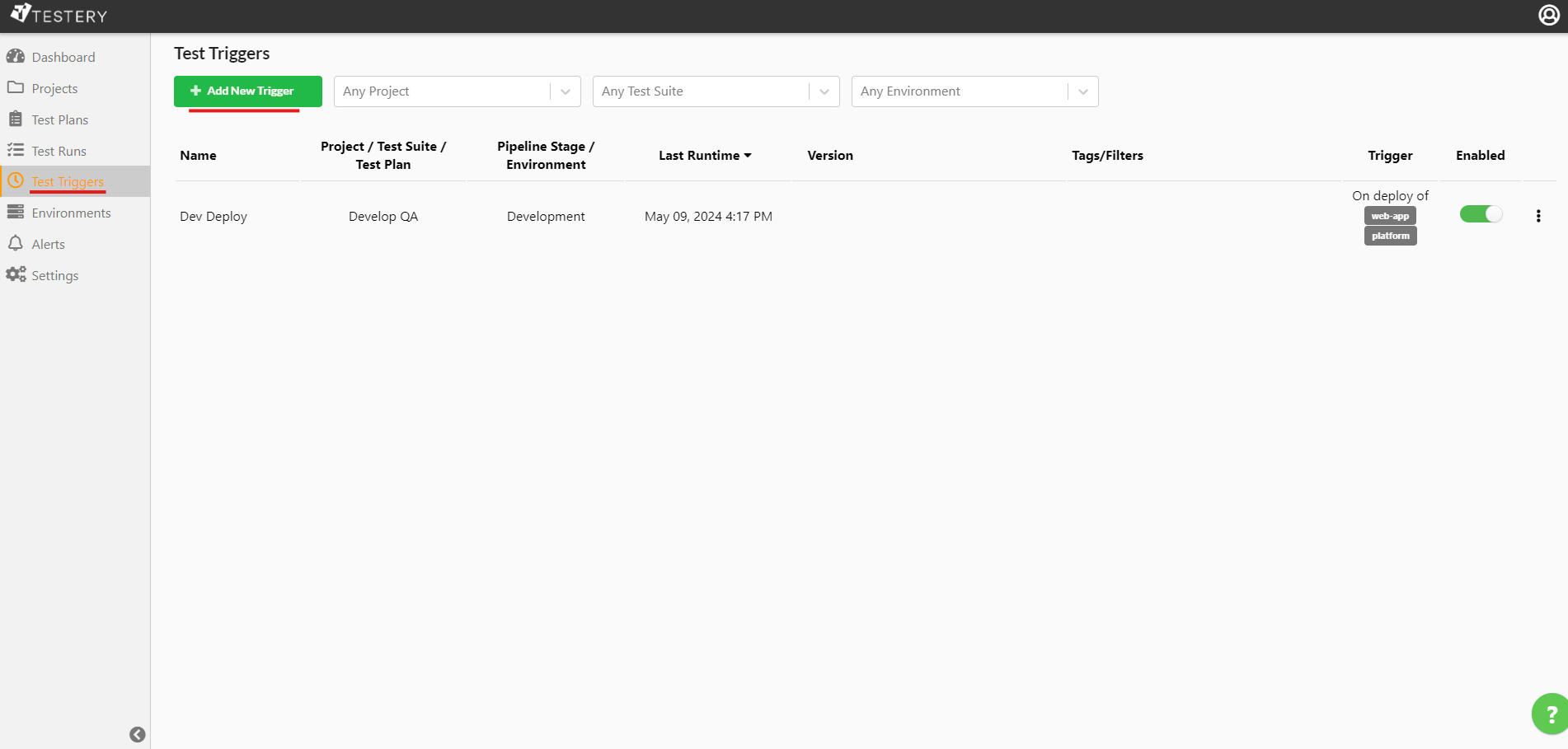
To get started you'll need to add New Trigger.
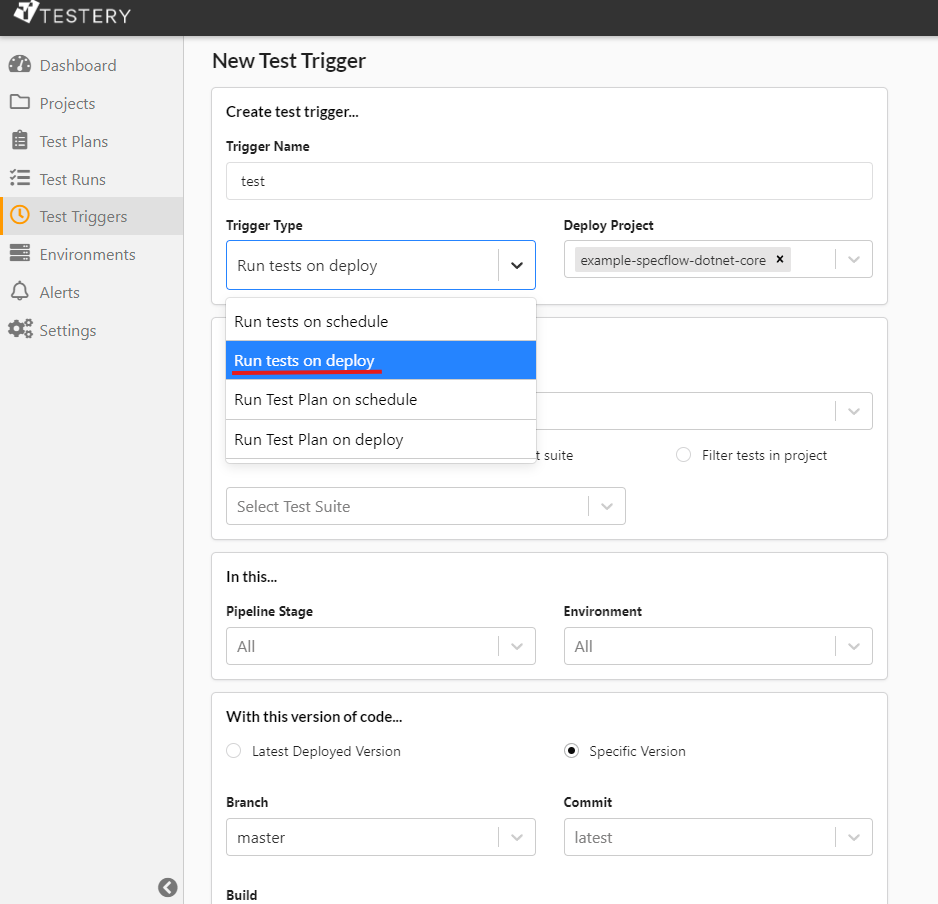
Next, select Run On Deploy from the Trigger Type dropdown, enter all other required information and click Save.
Now through the command line use the Testery CLI command "testery create-deploy" to initiate a deploy for a project and to trigger the kick off of a test run.
testery create-deploy --token $TOKEN --project <my-project-key> --environment <environment-key> --build-id <build-id-key>
In today's fast-paced software development landscape, automated testing is no longer a luxury, it's a necessity. Testery simplifies and streamlines the testing process by integrating seamlessly with deployment pipelines, ensuring that every code change is rigorously tested before reaching production. With its intuitive interface, scalability, and comprehensive features, Testery is the go-to solution for teams looking to automate testing and deliver high-quality software faster than ever before.
Happy testing!