Enhanced Console Log Viewer
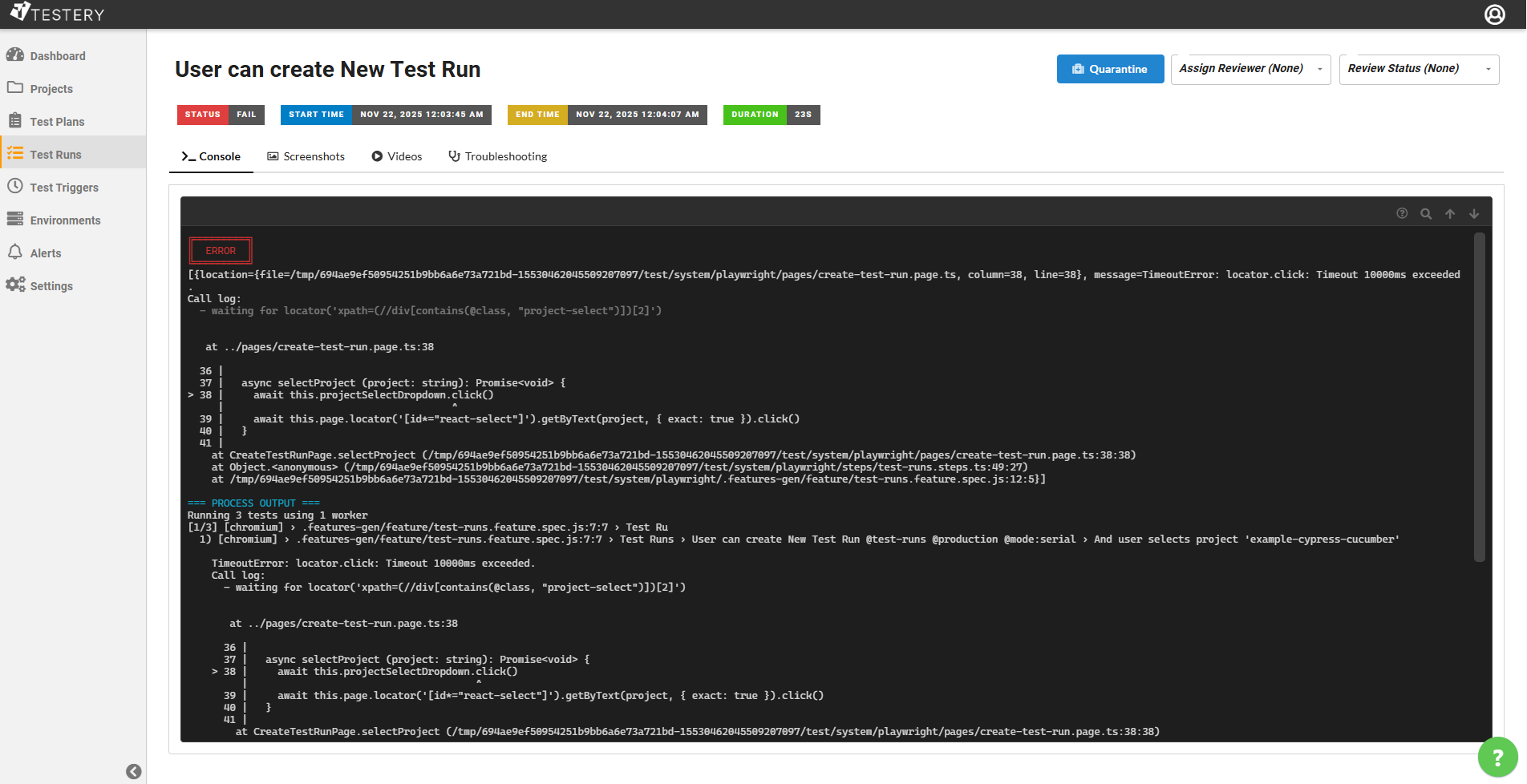
We've completely redesigned the console log viewer in Testery to give you a more powerful and intuitive debugging experience. The new terminal-based viewer brings the familiar look and feel of your local command line directly into the browser.
Color Output and Emoji Support
Your test logs now display exactly as they would in your terminal, with full support for ANSI colors and emojis. Error messages appear in red, success indicators in green, and any colored output from your test framework renders beautifully. Emojis in your logs? They show up perfectly too!
The console organizes output into clearly labeled sections:
- ERROR - Failures are highlighted with a red border so you can spot them instantly
- TEST OUTPUT - Your test's specific output is displayed in green
- PROCESS OUTPUT - Full process logs appear in cyan for detailed debugging
Search Your Logs
Finding specific text in long log files is now effortless. Press Ctrl+F (or Cmd+F on Mac) to open the search bar and type what you're looking for. Use Enter to jump to the next match or Shift+Enter to go to the previous one.
Easy Navigation
Scrolling through thousands of lines of logs is now much faster with keyboard shortcuts:
- Home - Jump to the top of the log
- End - Jump to the bottom of the log
- Page Up / Page Down - Scroll one page at a time
- ? - View all available keyboard shortcuts
Clickable Links
URLs in your test output are automatically detected and become clickable links, making it easy to jump to referenced documentation, error pages, or related resources.
The new console log viewer is available now on all test result pages. Give it a try and let us know what you think!