
New Feature: Test History
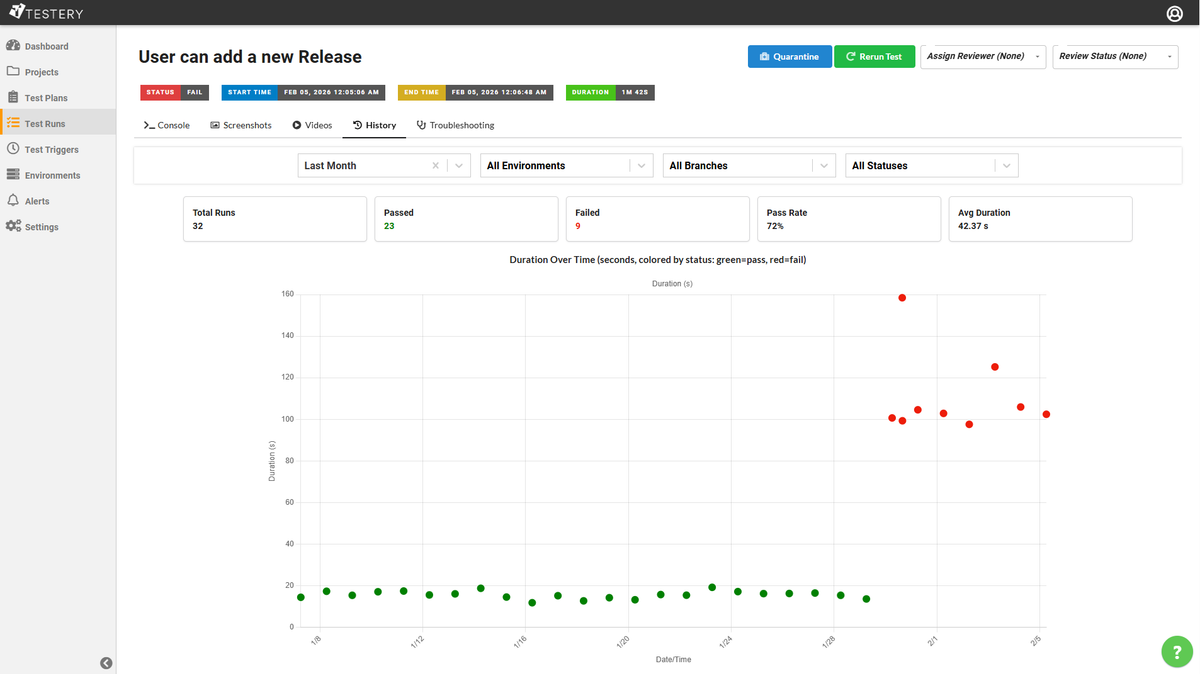
Testery now has a new view that shows the complete run history for any
individual test across environments, branches, and time periods. It's designed to help you troubleshoot flaky tests, track performance, and catch trends early.
What You Get
Test History is available in two places: as a new Test History tab on the Analytics page (pick any project and test),
and as a History tab on individual test results (instant context without leaving the page).
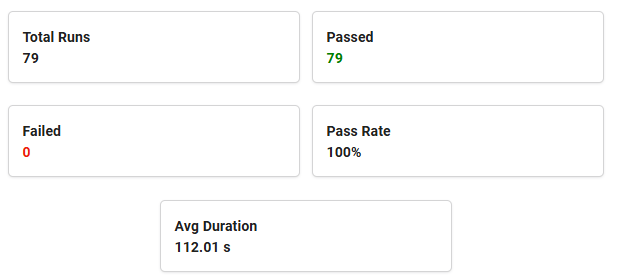
Summary cards at the top show total runs, pass/fail counts, pass rate, and average duration.
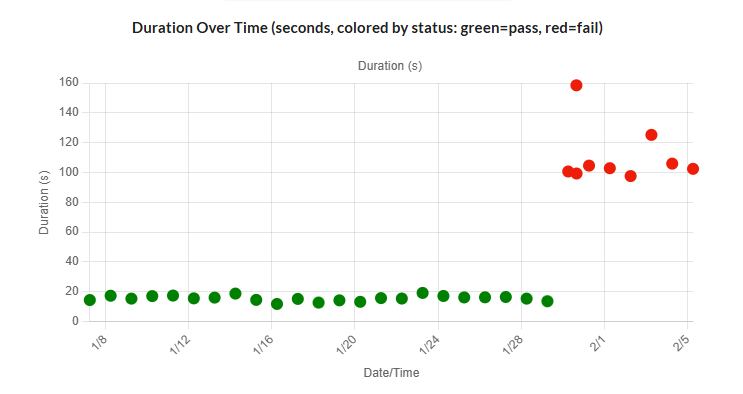
A duration-over-time chart plots every execution as a color-coded do. This is where
patterns jump out: sudden slowdowns, alternating pass/fail flakiness, or gradual performance drift.
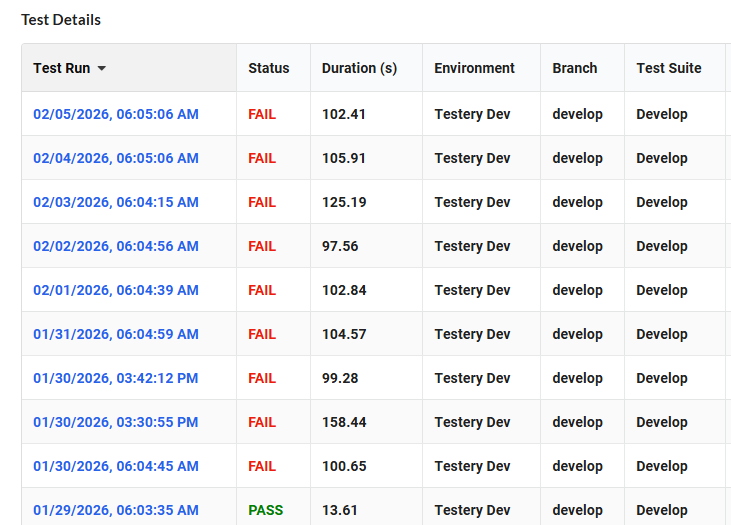
A sortable results table lists every execution with status, duration, environment, branch, test suite, and a direct
link to the git commit.
Filters for date range, environment, branch, and status let you slice the data to answer specific questions like
"What's this test's pass rate on main in production over the last quarter?"
Why It Matters
- Flaky tests — Confirm flakiness by filtering to a single branch and environment, then trace each failure back to its exact commit via the git ref links.
- Performance over time — Spot step-changes in duration tied to specific deploys, or compare average speed across environments to identify infrastructure issues.
- Emerging trends — A test with a 95% pass rate looks healthy until you notice all the failures happened this week. Test history makes those patterns visible before they become real problems.
Navigate to Analytics > Test History to get started, or click the History tab the next time you're looking at a test result.